Robotic Process Automation (RPA) in Healthcare
Since 2001, IT Craft has been developing custom software, and our team has more than 20 years in healthcare IT. Today, we build robotic process automation (RPA) solutions for clinical workflow automation, repetitive task automation, and billing and patient records management. Bots take over data entry and copying between systems, which means reduced errors and operational costs for hospitals, clinics, and payers.
 Overall review rating
RPA in Healthcare: Overview
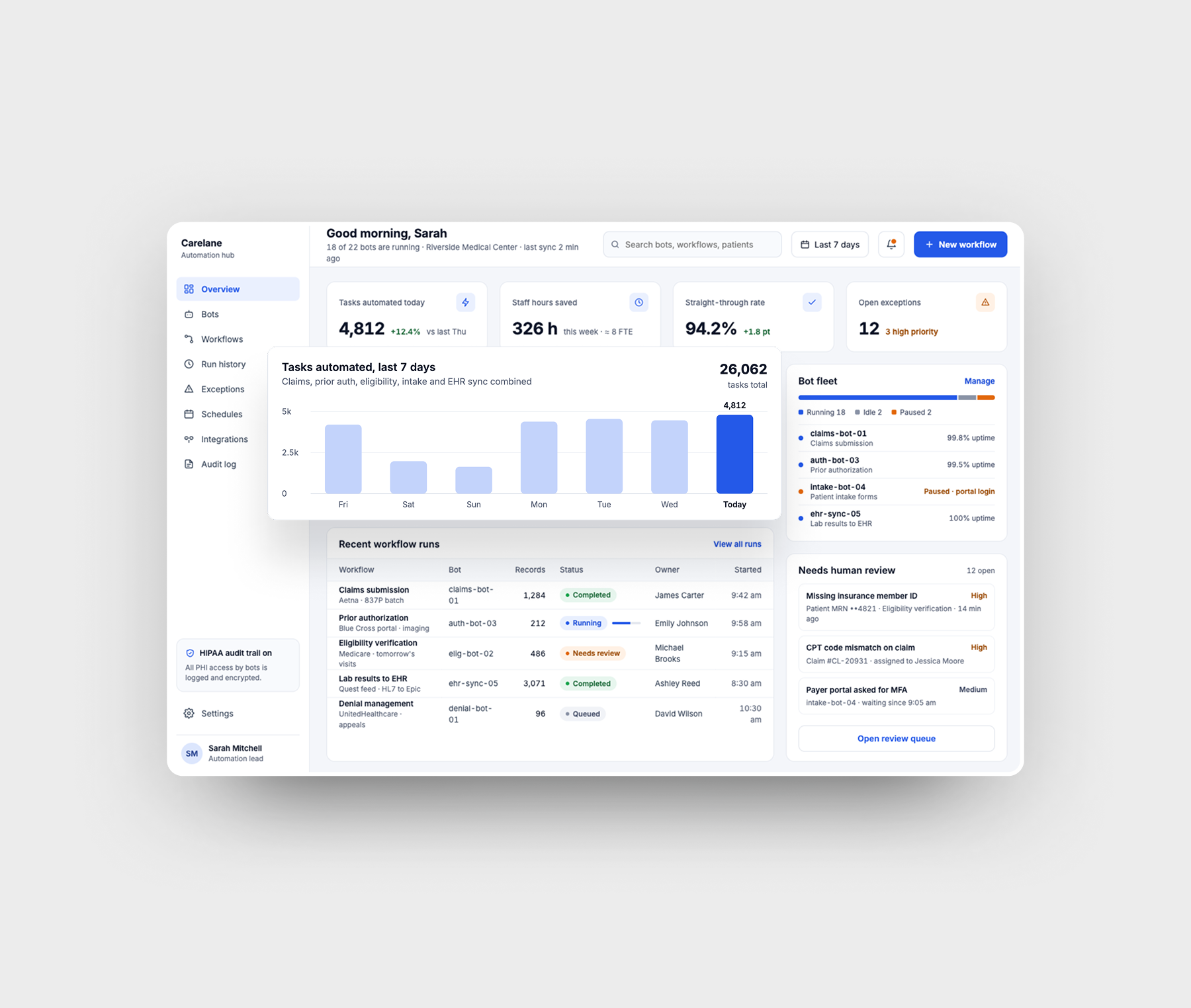
RPA in healthcare uses software bots for rule-based task automation: they take over high-volume administrative work such as patient record updates, appointment scheduling, and insurance eligibility checks. Most RPA platforms offer low-code/no-code tools, so bots can be configured without complex integrations. For workflows with unstructured documents (e.g., scanned referrals, discharge summaries), IT Craft’s consultants add cognitive automation with AI-powered data extraction.
Automating Healthcare Staff Tasks with RPA
- Open emails and attachments (e.g., automatically open lab emails with patient test results attached).
- Log into a web or a desktop application (e.g., open a payer portal in the browser and sign in with stored credentials).
- Download/upload files (for claim submissions, prior authorization requests, etc.).
- Move files and folders (e.g., automatically transfer imaging reports from a shared folder to the right patient folder).
- Extract structured data from documents or systems (e.g., pull adverse drug event records from the EHR for safety reporting).
- Compile documents using data from different systems (e.g., EHR, document management system).
- Copy/paste text from different applications into structured fields on a template (e.g., auto-fill eligibility verification requests, prior authorization forms).
- Read and write to databases (e.g., get patient demographics from a hospital database).
- Scrape data from the web (e.g., track FDA and CDC websites for drug recall notices or updated vaccination guidance and alert the responsible staff).
- Make basic calculations (e.g., calculate the total amount due from billing codes, copays, and insurance coverage before a patient invoice is generated).
- Follow ‘if/then’ decisions/rules (e.g., if a patient hasn’t confirmed a visit 24 hours before it, then send an SMS reminder or pass the case to front desk staff).
- Deliver files to third parties (e.g., auto-submit compliance reports to regulators, send invoices to patients).
- Send email/SMS notifications (e.g., appointment confirmations and reminders for patients).
Appointment Workflow Automation Architecture
Below, IT Craft consultants outline a reference architecture for appointment management automation based on the Microsoft Power Automate platform. This high-level, generalized overview works as a conceptual guide, and the actual architecture will depend on the requirements of a specific solution.
In Microsoft Power Automate, RPA bots are known as flows and handle the entire automation process. Cloud flows use Power Automate connectors to work with internal systems (like EHR, PMS, and CRM) and external services (such as email or SMS). Desktop flows automate tasks in systems that have no modern APIs, such as legacy platforms, by imitating human actions like logging into these systems. They are launched by cloud flows and work in either attended (with user supervision) or unattended (fully automated) mode.
Even non-technical users like hospital administrators can build automation flows in Power Automate. For example, they can ask Microsoft Copilot in natural language to create a flow that schedules appointments and sends confirmation emails. Copilot then produces a draft workflow with suggested triggers and actions, and administrators can refine it by adding conditions or customizing messages.
Once a flow is created, its automation logic is kept in Microsoft Dataverse, which stores structured data and activity logs.
An automation flow may look like this:
- A patient sends an appointment request through the patient portal, which triggers an automated cloud flow via an HTTP request.
- The cloud flow records the physician’s specialty, the requested date and time, and the patient ID, and saves the request in Dataverse.
- The cloud flow connects to the EHR calendar system via the FHIR R4 connector and checks the provider’s calendar for availability in line with the 21st Century Cures Act and USCDI.
- If no slots are available, the cloud flow runs fallback logic (e.g., changing the date or time). If the patient doesn’t confirm an alternative, the flow sends the request to administrative staff (e.g., via Microsoft Teams or email) for manual processing.
- If a suitable slot is available, the cloud flow launches a desktop flow to verify insurance eligibility. The desktop flow logs into the insurance portal and checks the patient’s coverage, copay, and deductible.
- Once availability and insurance are confirmed, the cloud flow sends the patient a tentative appointment notification via the Office 365 Outlook connector (for email) or the Twilio connector (for SMS). The message contains confirmation and cancellation links, and the flow logs the communication event.
- When the patient confirms the appointment, an HTTP webhook triggers a cloud flow. The flow generates an appointment ID, creates the record in the EHR calendar system, and updates the CRM and Dataverse.
- One day before the appointment, a scheduled cloud flow retrieves upcoming appointments from Dataverse and sends an email or SMS reminder with visit details, pre-visit instructions, and a check-in link for virtual visits.
- After the appointment, another cloud flow is triggered (e.g., by a status update in the system). It emails the patient a feedback form, and AI Builder may analyze the responses. Depending on the input, the system can suggest follow-up appointments, update the CRM, or flag the patient for care management.
RPA Use Cases in Healthcare
Common Challenges
Healthcare organizations most often run into the following problems when they introduce RPA:
-
Exceptions in rule-based workflows
Healthcare processes look rule-based but are full of edge cases, such as incomplete patient records, missing documentation, or payer-specific requirements. When a bot gets input it wasn’t built for, it stops, and the work queue stalls until an employee steps in.
-
Legacy systems without APIs
Many hospitals still run older EHR and billing platforms that don’t exchange data with each other. With no API to connect to, bots have to work through the user interface, and any screen change after an update breaks them.
-
Unstructured data
A large share of clinical information arrives as free-text physician notes, faxes, and scanned paper forms. Classic rule-based bots can’t read these documents, so the tasks behind them remain outside automation.
-
PHI security and compliance
Bots handle protected health information (PHI) and fall under the same HIPAA rules as staff. Shared bot credentials, weak access logs, and unencrypted data in transit or at rest can lead to data leaks and compliance penalties.
-
Staff resistance
Clinical and administrative staff often fear that bots will replace them or disrupt familiar routines. As a result, teams may ignore the new system or double-check every result the bot produces.
-
Wrong process choice and unclear ROI
Organizations sometimes start with complex, poorly defined workflows instead of high-volume, stable ones. Expectations then run ahead of results, and the financial return is hard to measure.
Costs & Timelines
Based on IT Craft’s healthcare software projects and industry benchmarks, the cost of custom RPA solution development may range from $18,000 to $500,000+, depending on automation scale and complexity, the number of integrations, as well as security and compliance requirements.
| Project Scope / Automation Type | Typical Cost Range | Estimated Timeline |
|---|---|---|
| Basic / MVP Automation | $18,000–$54,000 | 1–2 months |
| Mid-Complex Automation | $50,000–$200,000 | 3–6 months |
| Enterprise RPA Platform | $500,000+ | 6–12+ months |
Core Cost and Timeline Drivers
Major factors that affect the development budget and timelines are:
- The required regulatory compliance (HIPAA, HITECH, etc.).
- The number and complexity of integrations with EHR/PMS systems (e.g., Epic, Oracle Health), payer portals, and legacy platforms.
- The number, type, and complexity of workflows to automate.
- The security requirements for bot credentials and PHI access.
- The required AI capabilities (OCR, agentic AI).
- (for outsourced development) A vendor’s service pricing model.
Contributor
-
Healthcare IT Expert & Consultant